Available for freelance • Fiverr & Upwork
App development services, built to ship
Pinflares builds polished, reliable mobile apps and the backends behind them. Every engagement starts with a clear scope, a realistic timeline, and a plan for launch — not just for code.
Polished, reliable apps — scoped clearly, tested before launch, and planned for the Play Store.
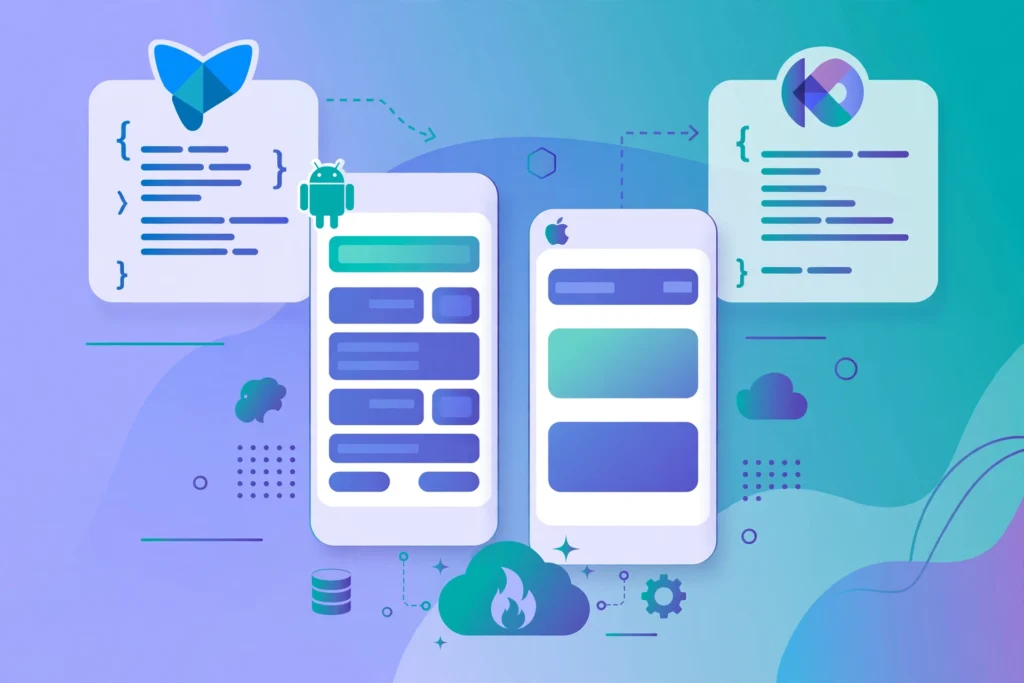
Android app development — Kotlin native
Native Android apps in Kotlin, built with modern Android architecture, clean code, and Play Store-ready quality. Ideal when performance, platform integration, and long-term maintainability matter most.
Best for: apps where performance, platform integration, and long-term maintainability matter most.
What you get
- Modern Android architecture
- Clean code
- Play Store-ready quality
Flutter cross-platform development
One codebase for Android and iOS with Flutter, so you reach both stores faster without maintaining two separate apps. Shared logic, native-feeling interfaces, and a single release process.
Best for: reaching Android and iOS from one codebase, faster, without maintaining two separate apps.
What you get
- One codebase for Android and iOS
- Shared logic
- Native-feeling interfaces
- A single release process
Website-to-Android conversion
Turn an existing website into a proper Android app — with app navigation, offline handling, push-ready structure, and a Play Store listing. Not a simple web wrapper.
Best for: turning an existing website into a proper Android app, not a simple web wrapper.
What you get
- App navigation
- Offline handling
- Push-ready structure
- A Play Store listing
Firebase backend and app infrastructure
Authentication, databases, cloud storage, push notifications, and analytics with Firebase, set up securely so your app can scale beyond its first release.
Best for: apps that need to scale beyond their first release, with a secure Firebase setup.
What you get
- Authentication
- Databases and cloud storage
- Push notifications
- Analytics
Bug fixing and crash fixing
Diagnosis and fixes for crashes, broken flows, and performance problems in existing Android and Flutter apps. Problems are reproduced, fixed, and tested so the issue is actually resolved.
Best for: existing Android and Flutter apps with crashes, broken flows, or performance problems.
What you get
- Diagnosis of crashes
- Fixes for broken flows
- Fixes for performance problems
- Testing to confirm the issue is resolved
AI-powered apps
Apps that use AI where it genuinely helps — smart assistance, content and data features, and automation. Integrated carefully, with clear limits and honest expectations.
Best for: apps where AI genuinely helps — smart assistance, content and data features, and automation.
What you get
- Smart assistance
- Content and data features
- Automation
- Careful integration, with clear limits and honest expectations
UI redesign
Modern, clean redesigns for existing apps: clearer navigation, consistent spacing and typography, and interfaces that feel current on today’s devices.
Best for: existing apps that need a modern, clean look and clearer navigation.
What you get
- Clearer navigation
- Consistent spacing and typography
- Interfaces that feel current on today’s devices
Google Play publishing and ASO
Play Store listings, screenshots and store descriptions, release tracks, and App Store Optimisation so your app is found.
Best for: launch readiness — listings, screenshots, descriptions, release tracks, and discoverability.
What you get
- Play Store listings
- Screenshots and store descriptions
- Release tracks
- App Store Optimisation
Native Kotlin vs Flutter vs Website-to-App
| Native Kotlin | Flutter | Website-to-App | |
|---|---|---|---|
| Codebase | One native Android codebase | One codebase for Android and iOS | Your existing website, turned into a proper Android app |
| Stores reached | Play Store | Android and iOS — both stores | Play Store |
| Feel and performance | Built for performance and platform integration | Native-feeling interfaces | App navigation and offline handling, instead of a simple web wrapper |
| Best for | Performance, platform integration, and long-term maintainability | Reaching both stores faster, without maintaining two separate apps | An existing website that needs to become a proper Android app |
Native Kotlin
Codebase: one native Android codebase. Stores reached: Play Store. Feel and performance: built for performance and platform integration. Best for: performance, platform integration, and long-term maintainability.
Flutter
Codebase: one codebase for Android and iOS. Stores reached: Android and iOS — both stores. Feel and performance: native-feeling interfaces. Best for: reaching both stores faster, without maintaining two separate apps.
Website-to-App
Codebase: your existing website, turned into a proper Android app. Stores reached: Play Store. Feel and performance: app navigation and offline handling, instead of a simple web wrapper. Best for: an existing website that needs to become a proper Android app.
How it works
1
Discover
Clear scope, realistic timeline, and a plan for launch before code starts.
2
Build
The app and its backend, built together and polished for release.
3
Test
Checked and fixed before release, so launch day is not test day.
4
Launch
Play Store listing, release tracks, and optimisation so your app is found.
What you get
A clear scope, agreed before work starts
A realistic timeline
Testing before launch
A plan for Play Store launch
Frequently asked questions
How much does an app cost?
Every engagement starts with a clear scope, a realistic timeline, and a plan for launch. [TODO: Add pricing information — no price is published on this site yet.]
How long does it take to build an app?
Every engagement starts with a clear scope, a realistic timeline, and a plan for launch before code starts. [TODO: Add timeline information — no timeline is published on this site yet.]
Do I own the code?
[TODO: Add code ownership terms — no ownership terms are stated on this site yet.]
Do you build for iOS as well as Android?
Yes, with Flutter: one codebase for Android and iOS, so you reach both stores faster without maintaining two separate apps. Native Kotlin apps are Android apps.
What happens after launch?
Launch includes a Play Store listing, release tracks, and optimisation so your app is found. [TODO: Add post-launch support terms — no post-launch support terms are stated on this site yet.]
Can we sign an NDA?
[TODO: Add NDA policy — no NDA policy is stated on this site yet.]
How does payment work?
Pinflares is available for freelance via Fiverr & Upwork. [TODO: Add payment terms — no payment terms are stated on this site yet.]
Have an app idea? Let’s build it.
Share what you want to build, fix, or launch, and you will get a clear next step. Available on Fiverr & Upwork.
Fiverr: [TODO: profile URL] • Upwork: [TODO: profile URL]